Lightroom vs RawTherapee 2025: Best Photo Editor Compared
The world of digital photography in 2025 is more dynamic than ever. With photographers constantly seeking powerful yet flexible photo editing tools, two names frequently emerge in discussions — Adobe Lightroom and RawTherapee. Both are exceptional in their own right, offering distinct advantages for professionals and beginners alike. But when it comes to Lightroom vs RawTherapee, which is better for your workflow?
In this in-depth comparison, we’ll analyze features, performance, editing capabilities, interface design, price, and community feedback (including Lightroom vs RawTherapee Reddit discussions) to help you determine which software deserves a place in your creative toolkit.
Overview: What Are Lightroom and RawTherapee?
Before comparing the two, let’s briefly understand what each software brings to the table.
🔹 Adobe Lightroom
Adobe Lightroom is part of Adobe’s Creative Cloud ecosystem, widely regarded as the industry standard for photo editing and asset management. It offers two main versions: Lightroom Classic (desktop-based) and Lightroom CC (Cloud), both packed with AI-powered tools, presets, and seamless cloud syncing.
RawTherapee
RawTherapee, on the other hand, is an open-source RAW photo editor known for its high-quality image processing engine and extensive control over color, tone, and detail. It’s a favorite among photographers who prefer free software without compromising on advanced editing capabilities.
Unlike Lightroom, RawTherapee doesn’t rely on a subscription model, making it a cost-effective choice for many professionals. You can easily get the RawTherapee download from its official website and start editing instantly.
Lightroom vs RawTherapee: Feature-by-Feature Comparison
1. User Interface and Ease of Use
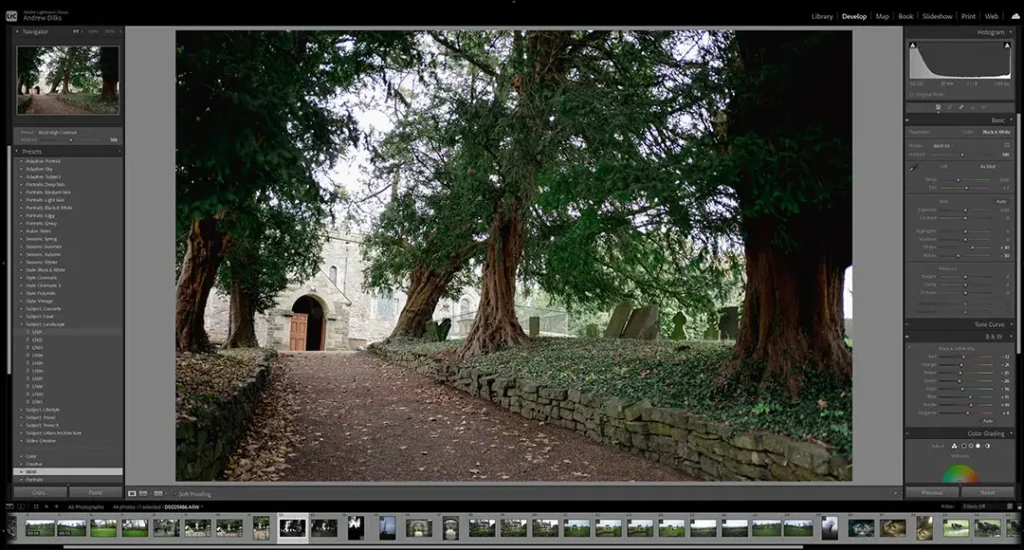
- Lightroom: Known for its intuitive interface and beginner-friendly workflow. Everything from importing, editing, to exporting is streamlined. The panels and sliders are organized logically, making it easy for users to adapt quickly.
- RawTherapee: While powerful, RawTherapee’s interface can seem overwhelming to beginners. It’s more technical, with numerous tabs and sliders that cater to advanced users.
Verdict: If you’re new to editing, Lightroom’s interface wins for simplicity and productivity. For experienced photographers who love deep manual control, RawTherapee is a strong contender.
2. Editing Power and Tools
Both editors support RAW image editing, but their approaches differ.
- Lightroom: Offers AI-based tools like Select Subject, Select Sky, and content-aware removal, allowing localized adjustments with minimal effort. You can also use Lightroom presets, color grading, HSL controls, and lens corrections to fine-tune your photos efficiently.
- RawTherapee: Excels in color management and dynamic range recovery. It provides in-depth controls over exposure curves, sharpening algorithms, chromatic aberration correction, and noise reduction. However, it lacks built-in AI masking tools like Lightroom.
Verdict: Lightroom is ideal for quick, creative edits, while RawTherapee gives you scientific precision and pixel-level control.
3. Presets and Filters
- Lightroom: Offers a massive marketplace for presets — both free and premium. You can also create your own presets or sync them across devices via Lightroom Mobile.
- RawTherapee: Doesn’t support Lightroom’s preset format, leading many users to ask, “Can I use Lightroom presets in RawTherapee?” Unfortunately, not directly. However, you can manually replicate preset effects using RawTherapee’s parameter adjustments.
Verdict: Lightroom leads when it comes to presets, filters, and creative looks.
4. Performance and Speed
- Lightroom Classic is known for stability but can slow down when working with large catalogs. Lightroom CC improves performance through cloud syncing and GPU acceleration.
- RawTherapee processes images quickly due to its efficient use of system resources, but batch editing can be slightly slower.
Verdict: Lightroom offers smoother multitasking and syncing, while RawTherapee provides efficient local performance.
5. Organization and Workflow Management
Lightroom’s biggest strength lies in its catalog system, which helps you organize thousands of photos using keywords, ratings, and collections. You can seamlessly integrate it with Photoshop, Adobe Bridge, and Creative Cloud.
RawTherapee, meanwhile, doesn’t use a catalog. Instead, it works directly from your file system, allowing non-destructive editing and a simple folder-based workflow.
Verdict: Lightroom is better for professionals managing large libraries. RawTherapee suits photographers who prefer manual file management.
6. Community and Support
- Lightroom: Backed by Adobe’s massive community and customer support, with tutorials, Lightroom lectures, and courses available online.
- RawTherapee: Supported by a passionate open-source community. On platforms like Reddit, discussions such as “Lightroom vs RawTherapee Reddit” or “Darktable vs RawTherapee vs Lightroom Reddit” offer practical user insights and troubleshooting help.
Verdict: Lightroom has official support; RawTherapee relies on community-driven collaboration.
Pricing: Subscription vs Free
One of the most notable differences between Lightroom vs RawTherapee is cost.
- Adobe Lightroom: Requires a subscription to the Adobe Creative Cloud Photography Plan, starting around $9.99/month. It includes both Lightroom Classic and Photoshop.
- RawTherapee: Completely free and open source. No hidden costs, licenses, or watermarks.
Verdict: If you prefer budget-friendly software without subscriptions, RawTherapee wins hands down.
Image Quality and Output
In terms of RAW conversion and output, both Lightroom and RawTherapee deliver exceptional results. However, they process files differently.
- Lightroom: Produces clean, color-accurate outputs optimized for web and print. It also integrates easily with Adobe Photoshop for advanced retouching.
- RawTherapee: Focuses on scientific image fidelity, offering deeper control over demosaicing algorithms and tone mapping. Some users argue that RawTherapee’s output retains slightly more detail.
Verdict: Lightroom offers polished results; RawTherapee provides raw accuracy.
Lightroom vs RawTherapee vs Darktable vs Adobe
When comparing Lightroom vs RawTherapee vs Darktable, another open-source contender emerges — Darktable.
- Darktable: Similar to RawTherapee, but with a more user-friendly layout and features like tethered shooting, geotagging, and non-destructive editing.
- Darktable vs RawTherapee: Darktable focuses on usability and workflow management, while RawTherapee emphasizes color science and processing depth.
- Darktable vs Lightroom: Lightroom offers smoother performance and broader integration, but Darktable remains an excellent free Lightroom alternative
Verdict:
- Choose Lightroom for seamless workflow and cloud syncing.
- Choose RawTherapee for scientific precision.
- Choose Darktable if you want an open-source balance between the two.
What the Community Says: Lightroom vs RawTherapee Reddit Insights
The Reddit photography community often debates “Lightroom vs RawTherapee — which is better?” Here’s what most discussions reveal:
- Lightroom is praised for its ease of use, time-saving tools, and integration with Photoshop.
- RawTherapee earns respect for its customization, non-subscription model, and deep color control.
- Some hybrid users edit base tones in RawTherapee, then finish in Lightroom or Photoshop.
These real-world experiences showcase that your choice depends on editing goals and comfort level rather than one software being objectively “better.”
Lightroom Classic vs Lightroom CC vs RawTherapee
If you’re wondering “Is Lightroom better than Lightroom Classic?” — here’s the distinction:
- Lightroom Classic: Desktop-based, ideal for professional workflows with advanced catalog management.
- Lightroom CC: Cloud-based, designed for on-the-go editing and syncing.
- RawTherapee: Desktop-only, open-source, and independent of Adobe’s ecosystem.
Verdict: Choose Lightroom Classic for control, Lightroom CC for mobility, and RawTherapee for independence.
RawTherapee vs Photoshop: Do You Need Both?
Another common question is “Is Lightroom better than Photoshop?” or “RawTherapee vs Photoshop — which is better?”
- Photoshop is primarily for pixel-based manipulation (like composites, retouching, or design).
- Lightroom and RawTherapee focus on RAW photo development and batch editing.
Conclusion: Photoshop complements Lightroom, not replaces it. RawTherapee, however, can serve as a standalone RAW editor.
The Future of Photo Editing: AI and Open-Source Evolution
As 2025 unfolds, AI editing tools continue to redefine workflows. Lightroom leverages Adobe Sensei for automatic adjustments, sky replacement, and subject detection. Meanwhile, RawTherapee’s open-source developers are integrating smarter automation and real-time previews to compete.
The rise of Darktable and community collaboration on GitHub ensures that open-source alternatives stay competitive against paid software giants like Adobe.
Final Verdict: Is RawTherapee Better Than Lightroom?
The answer depends on your needs:
| Criteria | Lightroom | RawTherapee |
| Ease of Use | Beginner-friendly | Steeper learning curve |
| AI Tools | Advanced (Sensei-powered) | Minimal automation |
| Price | Subscription ($9.99/month) | Free |
| Presets/Filters | Extensive | Manual adjustments |
| Performance | Excellent on modern systems | Resource-efficient |
| Community | Adobe & professional | Open-source & tech-savvy |
Verdict:
- Choose Lightroom if you value speed, simplicity, and integrated cloud tools.
- Choose RawTherapee if you crave fine control, open-source freedom, and zero subscription fees.
- Explore Darktable if you want a middle ground between the two.
In conclusion, both Lightroom and RawTherapee shine in 2025 — one for its AI-powered convenience, and the other for its technical precision. The best choice depends entirely on how you like to edit, not what others say.